
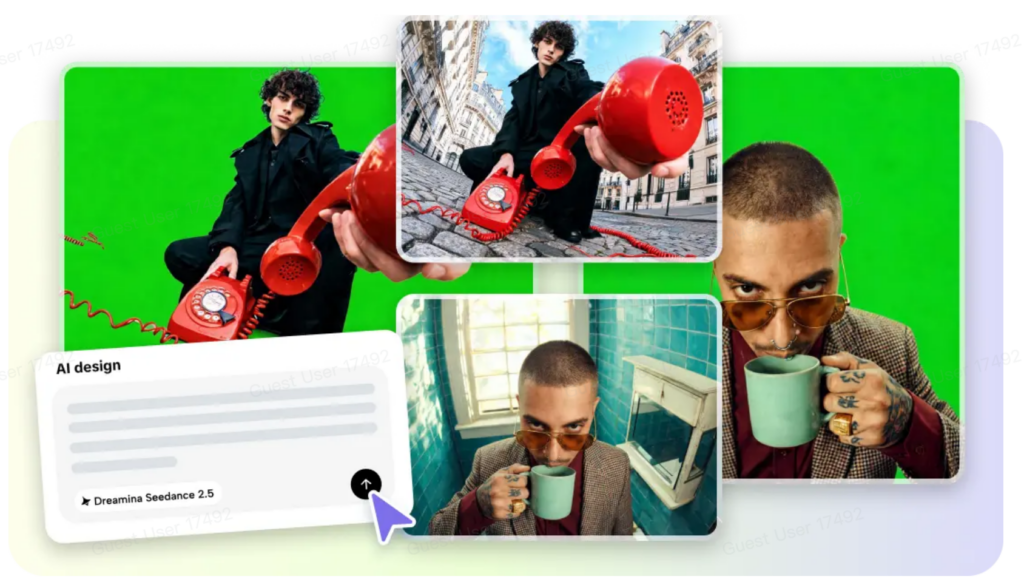
Giving control over important video moments generates better stories than just giving general instructions. Using timestamp-guided text prompts, Pippit allows the precise visual sequences to be shaped by directing action, camera movement, and scene progression. This structured method helps ensure a consistent narrative and minimizes sudden visual shifts. Transitions are also planned carefully to ensure they remain natural and scenes are joined together. The subsequent sections describe some useful methods of planning, creating, editing, and enhancing a timestamped video for professional creative projects.
Understanding Text-Based Prompt Guidance in Seedance 2.5
Instead of describing all of the video at once, a text-based timestamp prompt breaks down the video into meaningful moments in the story. These timestamps highlight one visual action, camera adjustment, or environmental change. This gives the shots better flow and continuity in the visuals. Sometimes moments are left to be interpreted with general prompts. Timestamp instructions eliminate confusion by pinpointing instructions to specific points. Since each scene leads into the next, it makes it easier to progress through the story. This structured workflow is ideal for product demonstrations, ads, tutorials, creative storytelling, and educational initiatives. Pippit facilitates this structured approach and enables creators to produce more refined content with its AI video generator features.
Planning Important Video Moments Before Writing Prompts
Organized planning is the beginning of successful videos, and prompt writing follows. Find an effective introduction that includes a strong visual interest and grabs the reader’s attention. Carefully plan the middle transition so that actions are not abruptly changed. Write an engaging conclusion that summarizes the thesis or marketing pitch. Camera movement should be logical and not random from scene to scene. Subjects, settings, colors, and lighting are consistent throughout the timeline, which improves realism. By planning for every meaningful moment first, Seedance 2.5 has a more focused creative direction and an increase in the quality of storytelling.
Steps to Guide Key Moments Using Text-Based Prompts in Seedance 2.5
Step 1: Define your key moments with prompts
-
Sign up for Pippit using Google, TikTok, or Facebook account info.
-
Navigate to the « More » tab from the left vertical menu bar and open « Video generator ».
-
Choose « Dreamina Seedance 2.5 » to guide important video moments through text prompts.
-
Add a detailed text prompt explaining the key scenes, actions, timing, camera movements, and visual style you want.
-
Select the video length, language, subtitles, and aspect ratio based on your content needs.
-
Click « + » to upload reference images or videos from your device, phone, Dropbox, or a link. You can also select assets if you do not have reference media.
-
Click « Generate » to create your AI-guided video.
Step 2: Generate AI-directed video moments
-
After clicking « Generate », Pippit’s AI video generator creates scenes based on your text instructions and reference media.
-
The AI manages editing elements like transitions, pacing, captions, avatars, voice, lyrics, and visual enhancements.
-
You will receive a video draft to review and adjust.
Step 3: Customize and export your final video
-
Click the « Download » tab in the top right corner to save the video directly. If you want changes, click « Regenerate » or select the « Edit more » tab below the video to open the Pippit editing interface.
-
Customize your video by editing captions manually, adding text, and adjusting size, color, alignment, filters, and effects.
-
Add background music, remove backgrounds, and fine-tune visuals to highlight important moments.
-
Click « Export » in the top right corner after completing edits.
-
Select « Publish » to post directly on TikTok, Instagram, or Facebook, or click « Download » to save your video with your preferred format, resolution, frame rate, and quality.
Structuring Timestamp Prompts for Better Scene Direction
Well-structured timestamp prompts provide greater scene direction as each moment has one clear purpose. Start with a shot sequence that shows where the subject(s) are placed, the lighting, and the first camera positions. Give clear, mid-scene directions, one thing per timestamp. Only add camera changes when they serve a storytelling purpose and not when they are distracting. Ramp up to the big finish with logical visual transitions, rather than jumps. If continuity is critical between scenes, repeat some of the appearance details. This organized structure helps to better pace, enhance the flow of the narrative, and produce more professional-looking visual results.
Best Practices for Writing Effective Text-Based Prompts
Clear prompts are used to enhance the quality of the videos as each prompt is linked to one particular creative objective. Use these practices before creating the final draft:
-
For each time stamp, describe one clear action.
-
Indicate camera motion when there is a change in the direction of view.
-
Consistently define lighting, environment, and atmosphere.
-
Repetition of key points on topics for greater continuity.
-
Order events chronologically in a natural order.
-
Carefully read through review prompts and eliminate unclear directions.
Seedance 2.5 Features That Strengthen Prompt-Based Scene Control
Several advanced features enhance the accuracy of scenes over extended creative projects. Timestamp guidance (for connected sequences) precisely points to the critical story beats of the sequences. Up to 30 seconds of video can be created without unnecessary fragmentation with single-take generation. The footage extension offers extra flexibility to extend existing scenes naturally. Multi-modal references to support consistent styling strengthen creative direction by using images, video, and visual examples. Director-level camera moves for smooth cinematic transitions and physically accurate camera moves enhance object behavior and material interactions. The high-fidelity rendering retains the lighting, textures, colours, and subject details between the connected scenes. Multiple language support also helps with creating prompts for multiple audiences.
Enhancing Prompt-Guided Videos with Pippit Editing Tools
Editing is the process of creating a finished product from the generated drafts but not altering the original creative direction. Caption refinement enhances readability as well as corrects for word choice or timing as required. Typography changes reinforce visual balance with appropriate font size, spacing, alignment, and colour. Filters are used to add atmosphere without breaking the continuity of a scene. Green screen editing allows you to change any background to a studio background, lifestyle, or a background that aligns with the project goals. Emotion is carefully selected and reinforces emotional progression between connected scenes. Even though the final draft reviews are essential, they help to make small refinements to the pacing, continuity, and presentation before exporting the finished video.
Common Mistakes to Avoid When Using Text-Based Prompts
Despite careful planning, some common pitfalls affect generation quality. It is confusing to put more than one unrelated action in the same timestamp when generating scenes. When a description is vague, there can be inconsistent visuals as key details are not specified. Camera direction is ignored and leads to poor storytelling with disjointed transitions and framing. When multiple reference images or videos are used, there are differences between them that decrease continuity between scenes. Without draft review prior to export, time issues, appearance concerns, and pacing problems are left unaddressed. These problems can be avoided with careful prompt refinement and enhance the final production quality.
Conclusion
Enabling key video moments with time-based prompts provides more creative control over scene timing, visual consistency, and storytelling flow. There is more thinking and planning in the organization, which leads to better results throughout the entire project, as well as prompt writing that is organized and relevant to the project, the cinematic motion, and thoughtful editing. Each draft is refined before it is exported in order to enhance the pacing, strengthen continuity, and improve the quality of the presentation. This steady preparation and thoughtful tweaking ensure that the creators can craft compelling videos that are well-timed, have a coherent story, and deliver a polished look.

Social Net Link
Ne manquez aucune actualite tech et startup
Rejoignez notre chaine WhatsApp et abonnez-vous a SNL TV sur YouTube.
Rejoindre WhatsAppVoir SNL TV sur YouTube